Introduction
jcode is distributed from the GitHub repository `1jehuang/jcode`.
## Installation
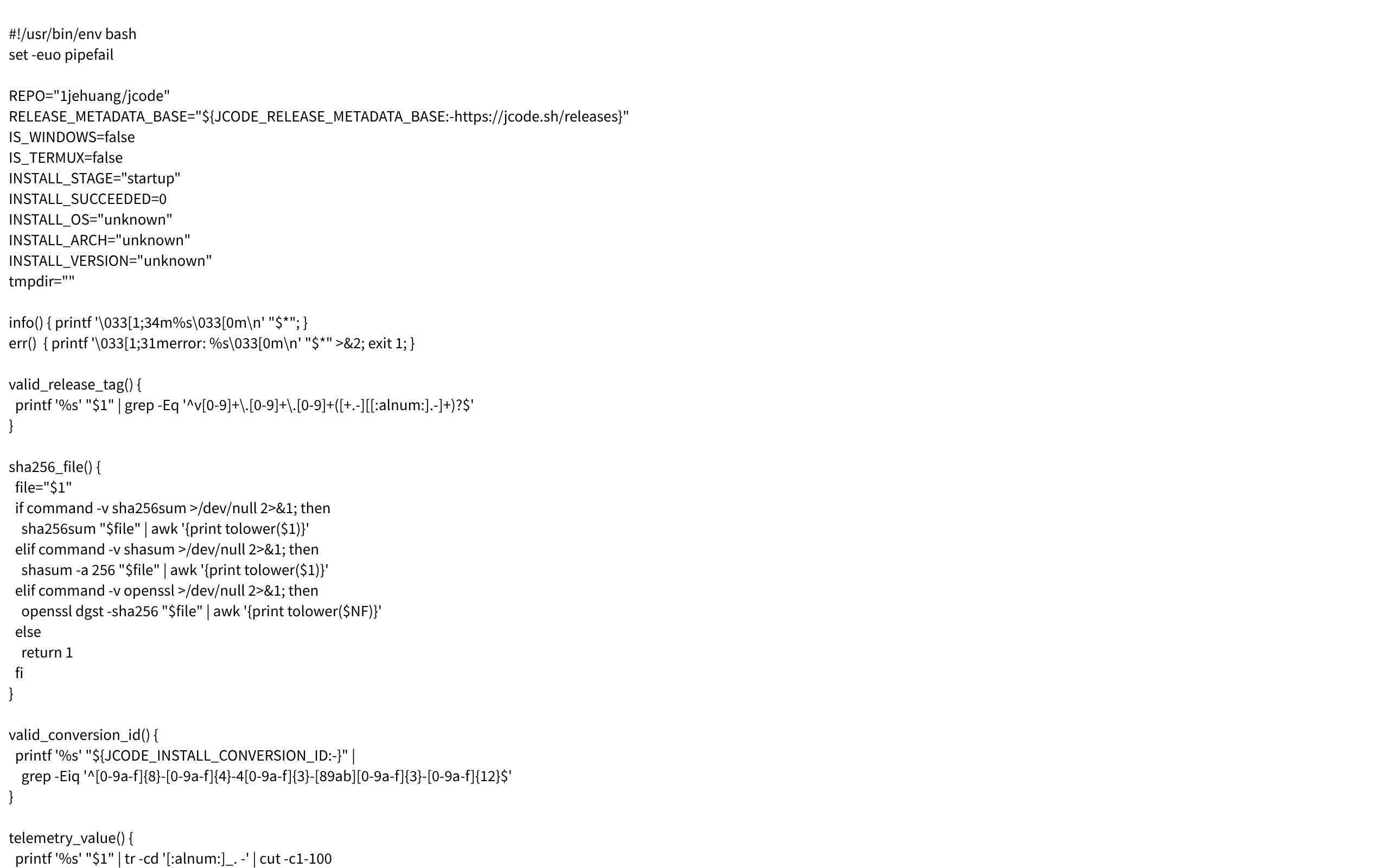
The shell installer detects the current platform and selects a prebuilt artifact for:
- Linux: `x86_64`, `aarch64`
- macOS: `arm64`, `x86_64`
- Windows: `x86_64`, `aarch64`
Unsupported platforms return: `Unsupported OS: $OS (try building from source: https://github.com/$REPO)`.
## Release lookup
The installer prefers GitHub's stable redirect when it is reachable so publication changes are visible immediately. `jcode.sh` keeps a static copy of the latest published tag as an independent fallback for GitHub outages, blocks, and shared-network throttling. Neither path uses the rate-limited unauthenticated GitHub API.
## Install location
On Windows, the default install directory is `$LOCALAPPDATA/jcode/bin`. On other systems, the default install directory is `$HOME/.local/bin`.
## Checks and telemetry
The installer includes SHA-256 checksum support using `sha256sum`, `shasum`, or `openssl`. Install telemetry is skipped when `JCODE_NO_TELEMETRY=1` or `DO_NOT_TRACK=1`.
Command lineShell installerGitHub releasesLinuxmacOSWindowsSHA-256
Screenshots
Deployment
Shell 一键安装脚本
适用于 Linux、macOS、Windows Git Bash 与 Termux 环境的默认安装方式,可自动识别平台、下载并校验官方预编译二进制、配置 PATH。
从源码构建
适用于当前平台没有可用官方预编译包时,在已安装 git 与 cargo 的环境中从指定 GitHub Release 源码编译安装。
Details
Type Commercial software
Last verified 2026-07-30
Ad slot 300 × 250 Ad
About the data
Stars / commit times sync automatically from the GitHub API; pricing and features are human-verified.