Introduction
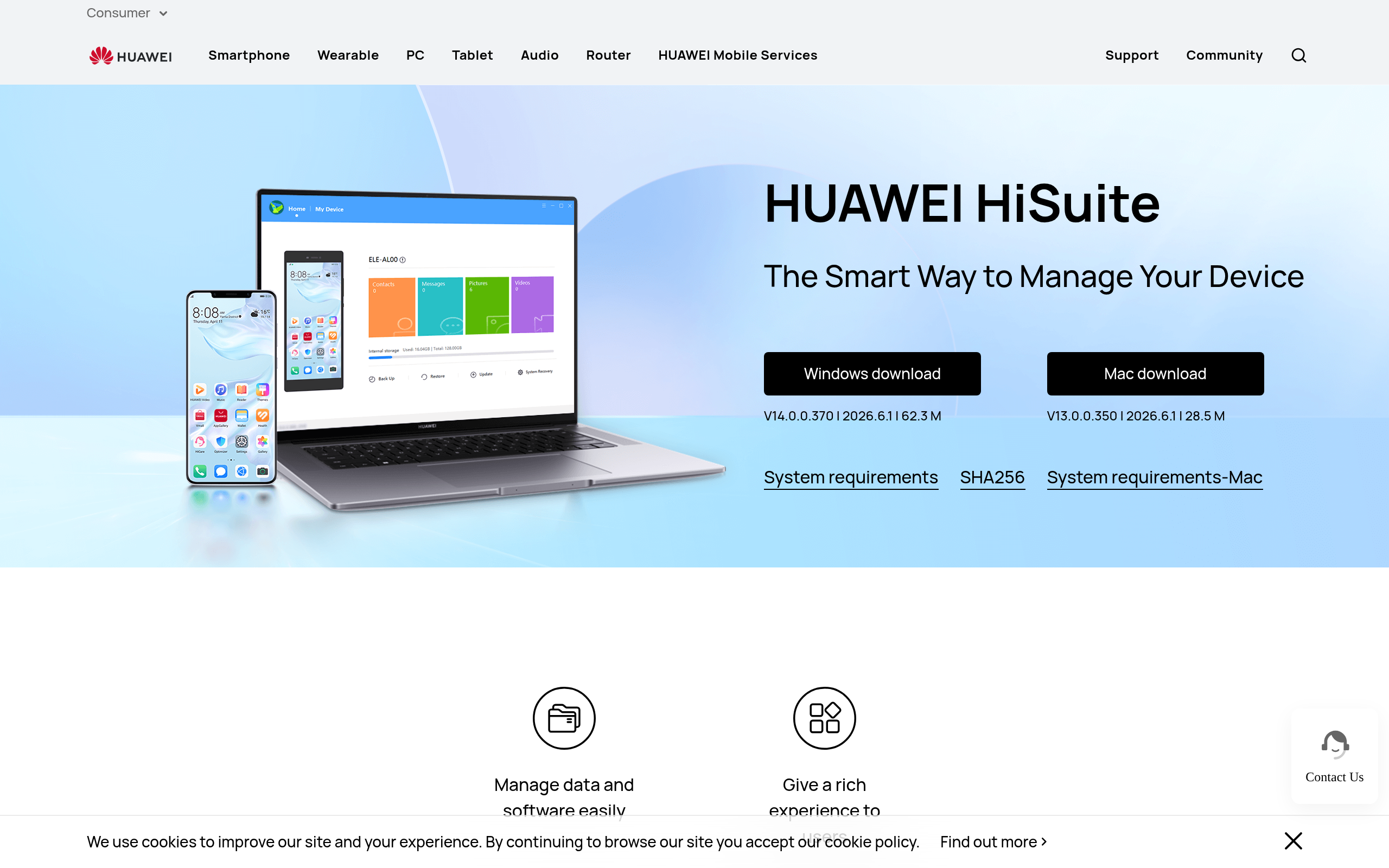
## HUAWEI HiSuite
**The Smart Way to Manage Your Device.** Manage data and software easily. Give a rich experience to users.
### Three highlights
- **Data management** — Make it convenient for you to use your PC manage contacts, messages, pictures, videos, applications and other data.
- **Data backup** — Back up and recover your phone data. Keep your important information intact.
- **System Recovery** — Upgrade your mobile phone system to the latest version easily.
### All functions are in the HUAWEI HiSuite
- **Screenshot** — One click to capture any amazing instant promptly.
- **Backup and recovery** — The data on devices can be backed up to the computer, including contacts, messages, applications, music, call history, emails, and schedule. It also supports transferring backed up data to devices.
- **Contacts management** — Delete contacts; import and export contacts; manage contact groups.
- **Message Management** — Send and receive messages on the computer; manage messages and export them to the computer; support mass text messaging.
- **Gallery management** — Support multiple ways of viewing pictures; import and export pictures; set the picture as device wallpaper.
- **Video management** — Support multiple ways of viewing videos; import and export videos.
- **System Recovery** — Restore the device to factory settings when its system crashes and won't turn on.
- **Update** — Provide the function of Upgrade and Rollback for HUAWEI Mobile System.
- **File management** — Manage files on internal storage and SD cards; export files to computers; import files to mobile phones.
### Installation and connection guide
Download the HiSuite software package according to your system. Double-click the EXE file. Click to accept the agreement and statement. Click to start installing.
**USB data cable connection** is applicable to Mac/Windows system. Connect the cell phone to the computer with USB data cable. Click on File Transfer or Photo Transfer, and turn on HDB. First enter Settings, then type HDB into the top search box. Click on “Allow HiSuite to use HDB” in the search results. Please agree to the authorizations on your phone when connecting. Open HiSuite on your phone, enter the displayed eight-digit verification code into the verification code input box on the computer, and click the “Connect Now” button.
### System requirements
Windows supports Microsoft Windows 11, Windows 10, Windows 8.1, and Windows 7, 32-bit or 64-bit version. Available disk space: 500 MB. Ram memory: 1 GB. Monitor: 1024x768 screen resolution and 16-bit color.
Mac supports macOS Monterey 12.1, macOS Ventura 13.0, macOS Big Sur 11.7.3, macOS Sonoma 14.0, macOS Sequoia 15.0, and macOS Tahoe 26.0.
The Mac version currently only supports “Picture Management”, “Video Management”, “File Management”, “Backup/Restore”.
Device managementData backupSystem recoveryFile managementContact managementMessage managementPhoto managementSystem update
Screenshots
Deployment
Windows 安装包(EXE)
适用于在 Windows 7/8.1/10/11 电脑上安装 HiSuite,以通过 USB 或 WLAN 管理、备份和恢复华为设备。
Mac 安装包
适用于在官方支持的 macOS 版本上安装 HiSuite,主要用于图片、视频、文件管理以及备份/恢复。
Windows XP 旧版安装包
适用于仍使用 Windows XP 且设备为 EMUI 4.1 及以下版本的旧环境。
Huawei HiSuite alternatives
MacroDroid Proprietary
Automate Proprietary
Gadgetbridge Open source
FLSystem返利机器人 Proprietary
flsystem返利机器人是一款全能返利软件,可同时登录多个微信返利机器人、QQ返利机器人、公众号返利;集淘宝返利机器人、拼多多返利机器人、京东返利机器人于一体;支持微信发单、QQ发单、朋友圈发单。
麦果网盘 Proprietary
麦果网盘中转站,无需购买高级账号,无需购买VPN等代理,支持下载40多个国外网盘的文件,比如Depfile.com,Filenext.com,icerbox.com,Alfafile.net,uploaded.net,rapidgator.
智简魔方 IDCsmart Proprietary
用户指南/魔方DCIM使用文档 - 智简魔方
万兴恢复专家 Proprietary
万兴恢复专家是A股上市公司万兴科技旗下的专业数据恢复软件,多种恢复模式支持几乎所有数据丢失场景,能够从硬盘、移动硬盘、回收站、U盘、软盘、电脑、SD卡、存储卡、相机等存储介质中恢复550种以上的数据格式。
Details
Type Commercial software
License proprietary
Last verified 2026-07-18
Ad slot 300 × 250 Ad
About the data
Stars / commit times sync automatically from the GitHub API; pricing and features are human-verified.